
Many of our printers can be installed through Self Service through a few basic steps that are shown in this article.
Steps
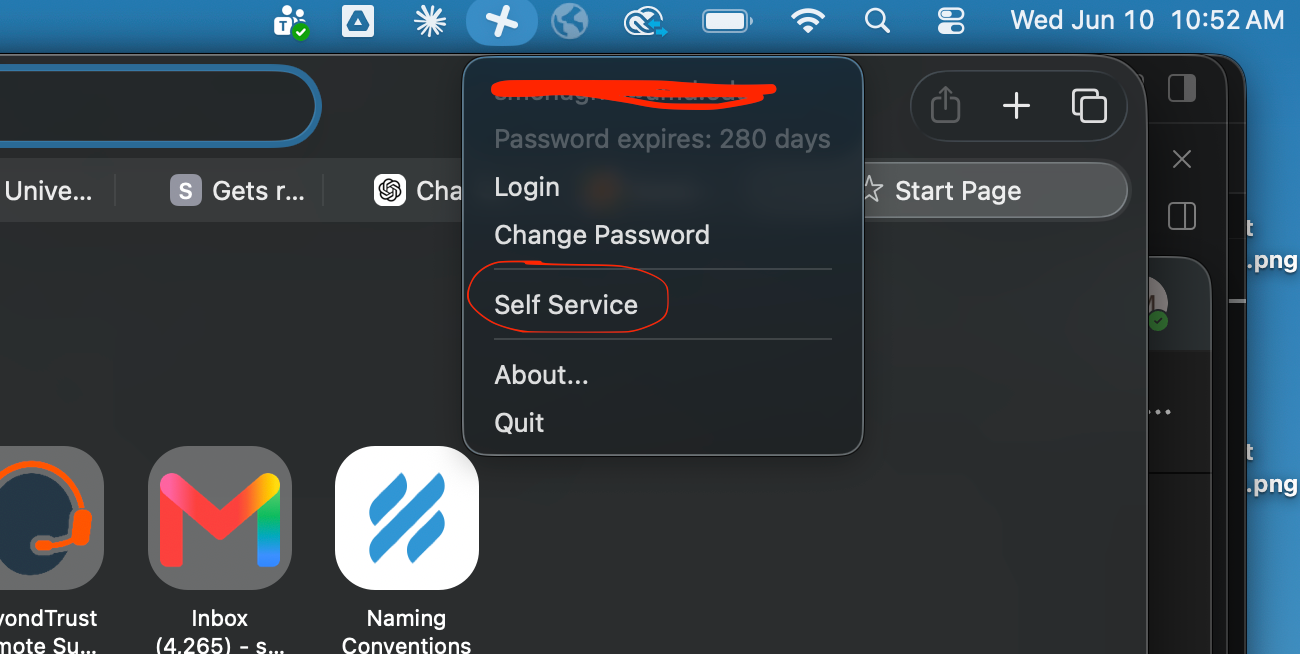
- Navigate to Self Service by clicking the icon in the top right corner of your screen
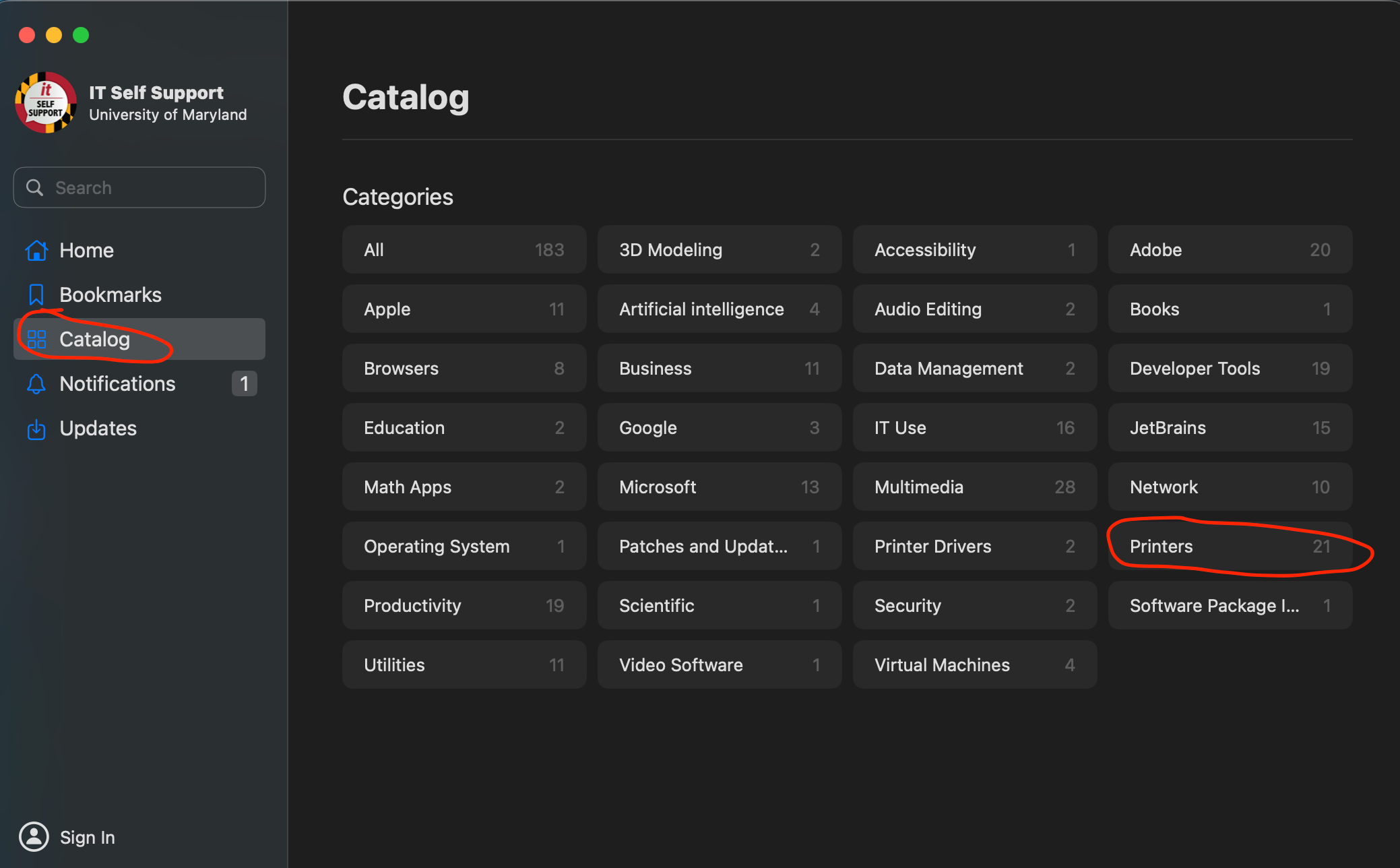
- Go to Catalog then click on Printers
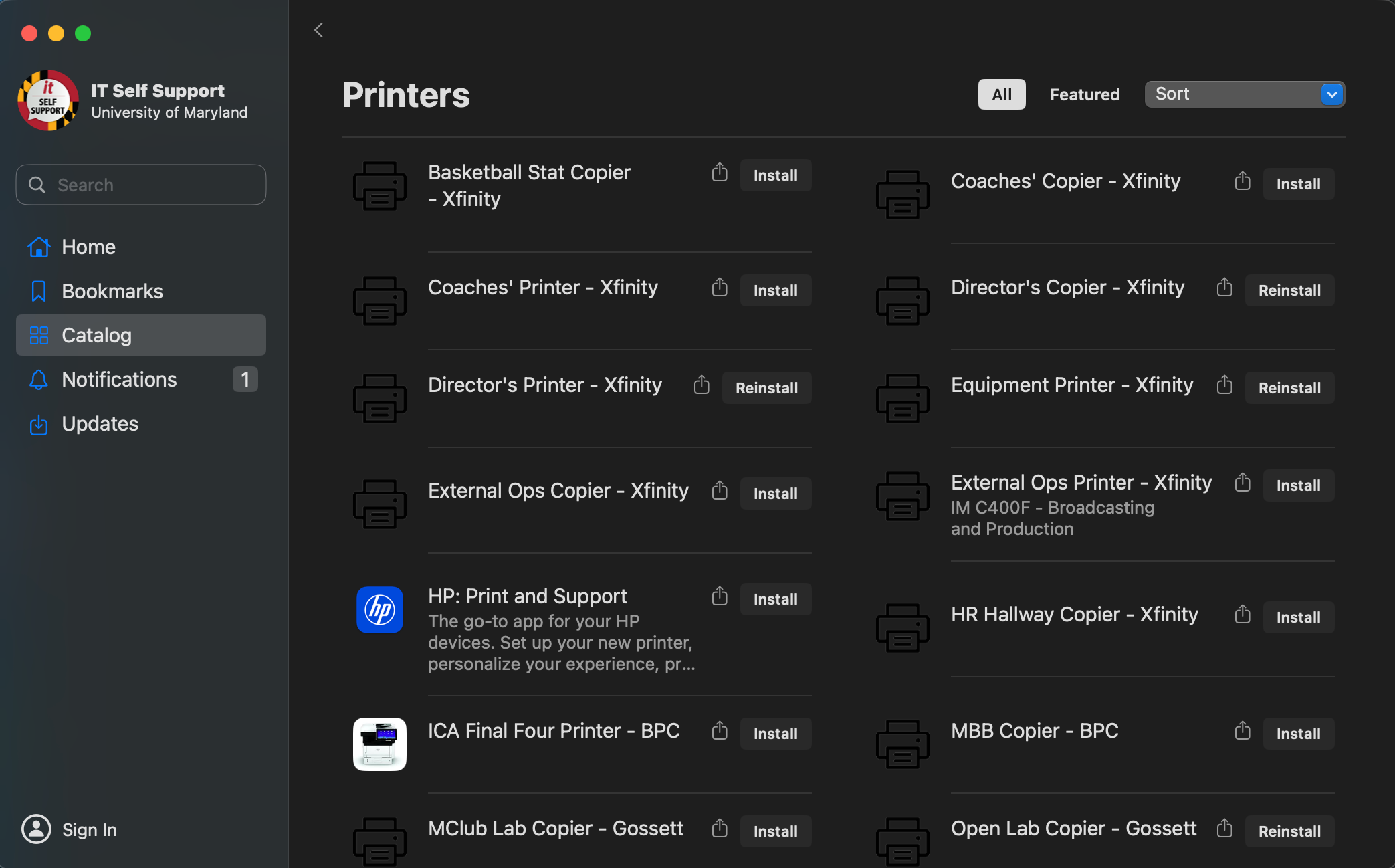
Click install on the printer that you are trying to add
If the printer you are looking for isn't listed or doesn't show up after the install finishes, send us an email at athleticsit@umd.edu.